
2023/10/20 7:00 現在
Google ColabでStable Diffusion Web UIは起動できるが、
画像生成は出来ないというエラーが発生しています。
Coraboratoryのログ出力には
WARNING[XFORMERS]: xFormers can’t load C++/CUDA extensions. xFormers was built for:
PyTorch 2.0.1+cu118 with CUDA 1108 (you have 2.1.0+cu118)
Python 3.10.11 (you have 3.10.12)
Please reinstall xformers (see https://github.com/facebookresearch/xformers#installing-xformers)
Memory-efficient attention, SwiGLU, sparse and more won’t be available.
Set XFORMERS_MORE_DETAILS=1 for more details
というWARNINGが出力され、WebUI上で画像生成をすると
NotImplementedError: No operator found for memory_efficient_attention_forward with inputs: query : shape=(2, 4096, 8, 40) (torch.float32) key : shape=(2, 4096, 8, 40) (torch.float32) value : shape=(2, 4096, 8, 40) (torch.float32) attn_bias : p : 0.0 flshattF is not supported because: xFormers wasn’t build with CUDA support dtype=torch.float32 (supported: {torch.bfloat16, torch.float16}) Operator wasn’t built – see python -m xformers.info for more info tritonflashattF is not supported because: xFormers wasn’t build with CUDA support dtype=torch.float32 (supported: {torch.bfloat16, torch.float16}) Operator wasn’t built – see python -m xformers.info for more info triton is not available requires A100 GPU cutlassF is not supported because: xFormers wasn’t build with CUDA support Operator wasn’t built – see python -m xformers.info for more info smallkF is not supported because: xFormers wasn’t build with CUDA support max(query.shape[-1] != value.shape[-1]) > 32 Operator wasn’t built – see python -m xformers.info for more info unsupported embed per head: 40
というエラーが発生して画像生成が出来ません。
2時間格闘の末w、解決しました。
真っ先に見ろよという話ですが、そこに書いてあるなんて全く知らなかったのでw
TheLastBen/fast-stable-diffusion さんのGitHubに解決方法を投稿していた方が
いらっしゃいました。
!pip install lmdb
!pip install torch==2.0.1+cu118 torchvision==0.15.2+cu118 torchaudio==2.0.2 torchtext==0.15.2+cpu torchdata==0.6.1 –index-url https://download.pytorch.org/whl/cu118
上記のコードを
「Connect Google Drive」の次にセルを作り(コードを追加)
コードをペーストして実行する、ということです。
私の場合はコードとともにタイトルと解決方法が記載されているサイトのURLも残しておこうと思い
#@markdown xFormers WARNING 対策 2023/10/20
#https://github.com/TheLastBen/fast-stable-diffusion/issues/2615
#Issues forum https://github.com/TheLastBen/fast-stable-diffusion/issues
!pip install lmdb
!pip install torch==2.0.1+cu118 torchvision==0.15.2+cu118 torchaudio==2.0.2 torchtext==0.15.2+cpu torchdata==0.6.1 –index-url https://download.pytorch.org/whl/cu118
タイトル
解決策が記載されていたスレッドURL
ユーザーからの問題が記載されているIssueフォーラムのURL
【実行するコード】
という形で書きました。
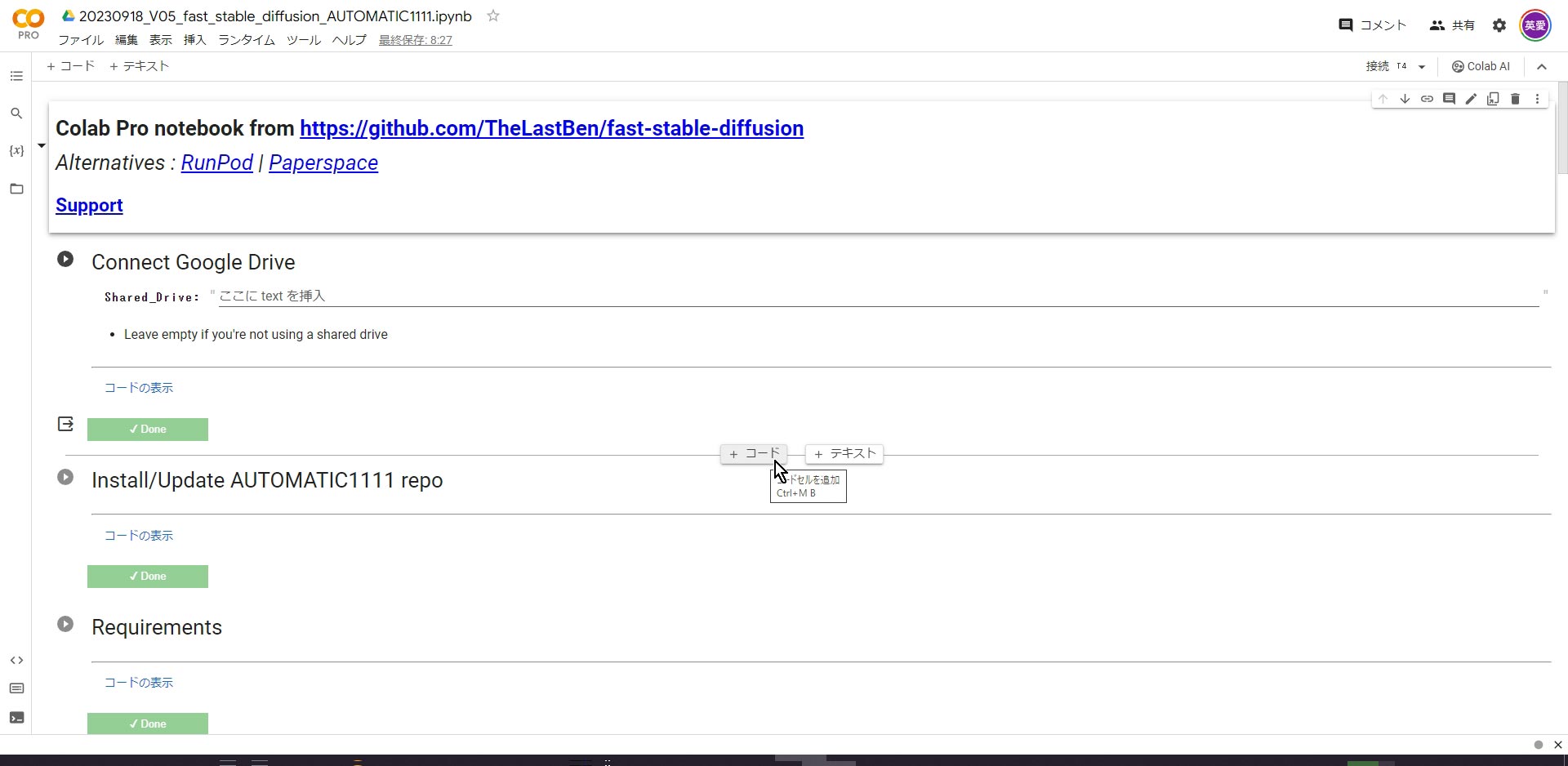
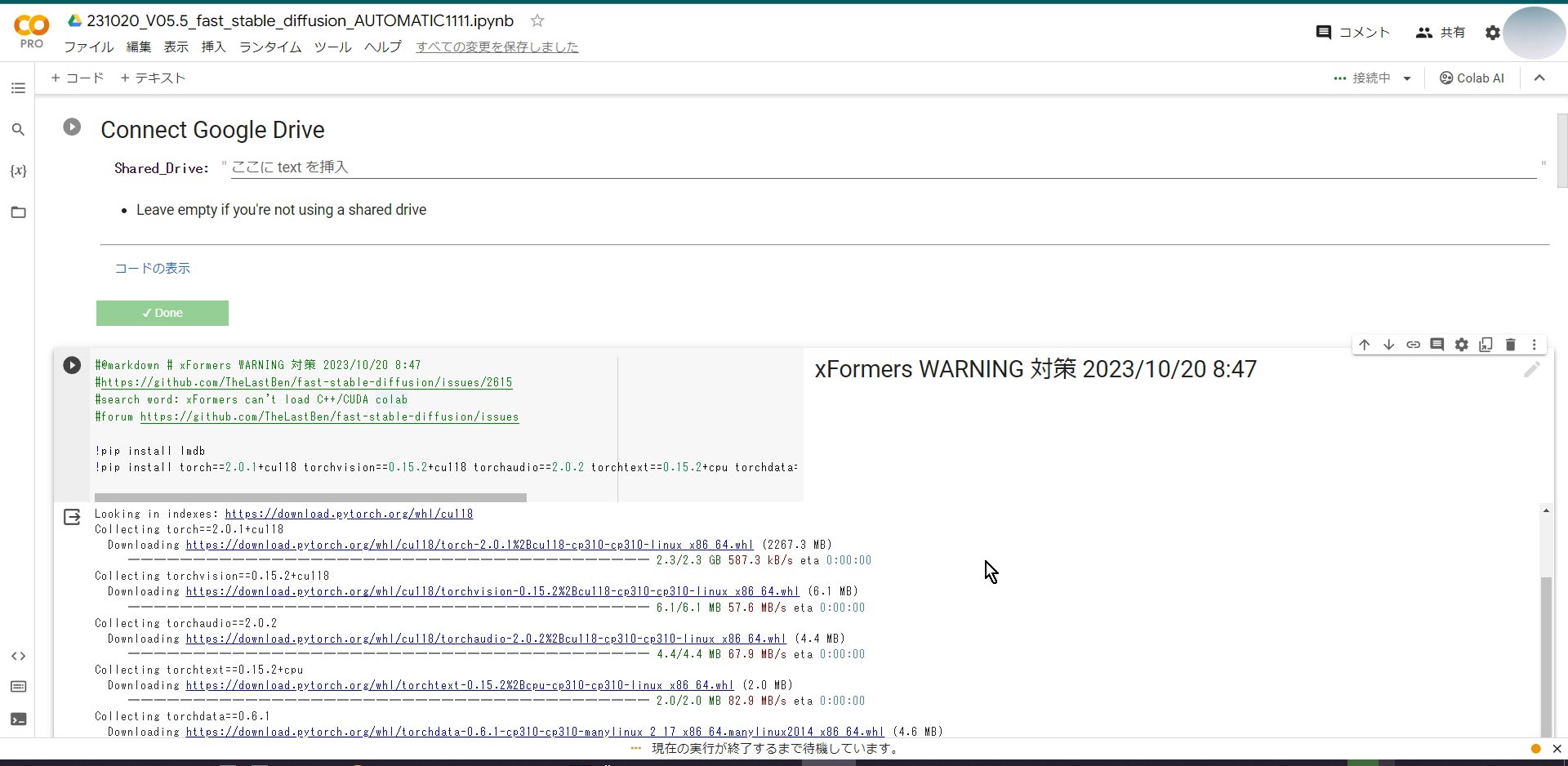
ざっくりとですが、スクショ載せておきます。
以上です。

コメント